Data Centre Cleaning: Contamination Control in Server Rooms and White Space
How to clean data centres and server rooms safely, covering contamination control, subfloor plenums, anti-static practice, restricted access and the procedures that prevent outages.
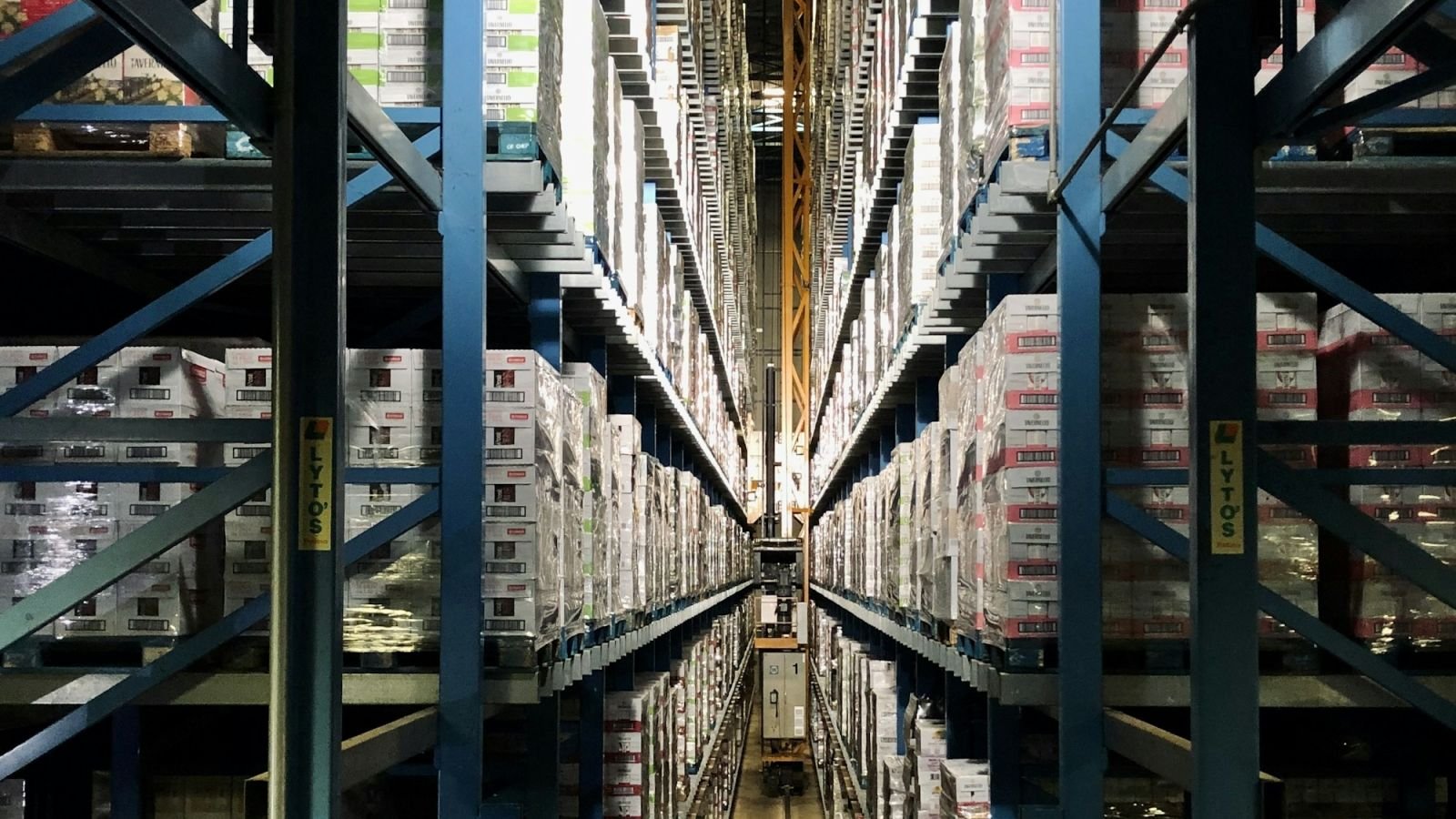
Data centre cleaning is the highest-consequence cleaning there is. In a normal building, a cleaning mistake makes something look bad. In a data centre, a cleaning mistake can take down production systems, and a mop bucket in the wrong place is an outage waiting to happen.
That changes everything about how the work is planned, who does it, what equipment is used, and how much of it is procedure rather than judgement.
Not engineering advice. Data centre operations, electrical safety, fire suppression and equipment maintenance are specialist functions. This guide covers the cleaning scope and the controls around it. Follow the facility's own method statements and permit systems, and never work beyond your competence or authorisation.
Key takeaways
- The primary risk is contamination, not appearance: particulate, moisture, and especially anything conductive.
- Water near live equipment is the single greatest hazard. Methods are typically dry or near-dry.
- Everything happens inside a permit and access-control system — no unescorted or unapproved work.
- Subfloor plenums, air intakes, coils and under-rack spaces are where contamination actually accumulates.
- A mistake here is not a complaint. It is an outage, and it is potentially unrecoverable.
Why data centres are cleaned differently
| Normal commercial cleaning | Data centre cleaning |
|---|---|
| Appearance is the measurable outcome | Particulate and moisture control are the outcome |
| Wet methods are routine | Wet methods are restricted and often prohibited |
| Anyone trained can do it | Named, vetted, escorted personnel only |
| Equipment choice is practical | Equipment must be non-shedding, non-sparking, ESD-safe |
| Cleaning happens around occupants | Cleaning happens under permit, often with equipment isolated |
| Risk is complaint | Risk is outage, fire, or equipment loss |
The essential mental shift: you are not making it look clean. You are removing a contaminant that damages equipment.
The contamination problem
Three categories of contamination matter, and they are not equally dangerous.
1. Conductive particulate. Metal particles, metal swarf, cable debris and even some dusts can bridge contacts or cause short circuits. This is the most serious category.
2. Non-conductive particulate. General dust, drywall dust, paper fibre. It clogs filters, coats heat sinks, reduces cooling efficiency and drives fan wear. Over time it raises operating temperature and energy consumption.
3. Moisture and corrosive residue. Humidity, condensation, spilled liquids and inappropriate cleaning chemistry. Moisture plus dust is far worse than either alone, and residues can be corrosive to contacts.
Where this accumulates, in roughly the order that matters:
- Air intakes, filters and coils — the first line, and the most neglected
- Server and network rack fronts and intakes
- Under raised floors — the subfloor plenum, which distributes cooling air
- Cable trays and above-rack containment
- Ceiling voids and return air paths
- Floor voids, penetrations and grommets
- UPS, battery and switchgear rooms
- Behind and beneath racks, and rack tops
If you clean only what is visible, you have cleaned almost none of what matters.
Safety: the non-negotiables
Assume nothing in the room is safe to touch.
- Never touch or move equipment, cables, patch leads or power connections. Not to clean behind them, not to reach a surface.
- Never wet-clean near live electrical equipment. No spray bottles directed at racks, no dripping mops, no buckets carried over equipment.
- Never use a standard vacuum. Ordinary vacuums generate static, exhaust fine particulate, and can ignite. Use equipment specified for the environment.
- ESD control — anti-static footwear or straps where required, and no synthetic clothing that generates charge. Confirm the facility's requirement.
- Never obstruct airflow. Panels, tiles, blankets and equipment must go back exactly as they were. A misplaced floor tile changes cooling for an entire aisle.
- Never touch fire suppression — heads, pipework, cylinders or controls. In gaseous systems, accidental discharge is catastrophic and dangerous.
- Never enter a subfloor or ceiling void without authorisation, a method statement and a permit. These are often confined spaces with cable and electrical hazards.
- Know the emergency procedures: power-down, alarm response, evacuation, and who to contact.
- Report anything unusual immediately — heat, smell of burning, water, damaged cable, alarm. Do not investigate.
Access and permits
Data centre work is governed, and the governance is not red tape — it is what keeps the room running.
- Named, vetted, background-checked personnel, usually with a security clearance process.
- Escorted or accompanied access, always logged in and out.
- A method statement and risk assessment approved before work, and a permit to work for each visit.
- Work outside business-critical windows where possible, with change approval.
- Notification to the operations team before and after, so they know what changed.
- No photography without permission — data centres are security-sensitive, and images of racks and layouts are restricted.
- No personal items, food, drink or bags in the white space.
- Tools and equipment inventoried in and out, so nothing is left behind in a rack or plenum.
If a facility does not have a permit system, that is a warning sign about how it is run — but you still do not improvise. Ask for the procedure in writing.
Methods and equipment
Dry methods lead. Most white-space cleaning is dry or near-dry.
- HEPA-filtered vacuums rated for the environment, with appropriate grounding. Standard vacuums are not acceptable.
- Microfibre cloths, low-lint, used damp rather than wet where a damp wipe is permitted — and only where water near equipment is approved.
- Anti-static or ESD-safe tools, mops and handle assemblies where required.
- Lint-free wipes for sensitive surfaces.
- Specialist high-level tooling for above-rack and ceiling work, avoiding ladders in aisles where possible.
- No aerosols or spray-and-wipe near intakes, which draw chemical into equipment.
- No abrasive pads, which generate particulate and can damage coatings.
- No sweeping, which aerosolises dust instead of capturing it.
Where wet cleaning is permitted at all, it is usually confined to non-equipment areas such as entry lobbies, offices, meeting rooms, walkways and amenities within the facility, using conventional methods and equipment kept entirely separate from white-space kit.
The cleaning sequence
Exact procedure depends on the facility, but the logic is consistent: clean from the air intake outward, and from high to low, capturing rather than moving dust.
- Confirm the permit, scope and any equipment to avoid.
- Confirm equipment state — nothing is powered down or isolated unless agreed and logged.
- Clean air intakes, grilles and filters first, or verify they are clean. Cleaning a room while contaminated air is being drawn through is wasted effort.
- Work high to low — ceiling void surfaces where accessible, cable trays, containment, rack tops.
- Clean rack exteriors and fronts, with care around intakes and cable entries. Never open racks unless explicitly in scope and supervised.
- Clean the floor with appropriate dry methods, in a sequence that does not push debris under the floor or into racks.
- Subfloor plenum only if in scope, permitted, and performed by trained personnel with the right controls — including sealing and reinstating tiles correctly.
- Replace everything exactly. Floor tiles seated, grommets in place, blanks fitted, containment closed.
- Inspect and photograph where allowed, then hand back to operations.
- Record what was done, by whom, and anything observed.
The most common serious error is not dirt — it is failure to reinstate. An unseated floor tile, an open grommet or a displaced blank changes airflow and can overheat equipment days later, when nobody connects it to the cleaning visit.
Subfloor plenums: handle with care
Under-floor voids distribute cooling air, and they accumulate everything you would expect plus cable debris.
- They are frequently confined spaces and always hazardous.
- Access usually requires a specific permit, method statement and often two people.
- Cleaning typically uses specialist vacuum equipment with appropriate filtration and grounding.
- Floor tiles must be lifted and replaced correctly, in a controlled sequence, or airflow is disrupted.
- Never rest tools, tiles or equipment on or across live cables.
- Never disturb or re-route cabling.
- If it is not in your competence or contract, say so. This is one of the clearest places to refuse work rather than improvise.
Inspection and documentation
In a data centre, the record matters as much as the clean.
- Pre-work condition record, especially photographs where permitted, protects you if something is found damaged later.
- Completion record with areas covered, methods, personnel, times and permit reference.
- Observations logged — dust levels, damaged containment, water staining, unsealed penetrations, damaged tiles, blocked intakes. These are findings the operations team needs, even though they are not cleaning defects.
- Deviation and incident reporting is mandatory, not discretionary.
- Consumables and equipment logged in and out.
Cleaning staff see the facility's condition more closely than almost anyone. A structured reporting habit is genuinely valuable here — the same discipline as deficiency tracking, pointed at engineering risk rather than appearance.
What to agree in a data centre cleaning contract
- Scope by area, drawing a hard line between white space, subfloor, ceiling void, and non-technical areas.
- Methods permitted — dry only, damp wipe, or wet in defined areas.
- Access, vetting, escort and permit obligations on both sides.
- Equipment specification, including filtration and ESD requirements.
- Restricted items — suppression systems, cabling, equipment, panel blanks.
- Change and notification procedure.
- Documentation and reporting expectations.
- Insurance and competence evidence, which clients here will require before you set foot in the room.
Our commercial cleaning contract template covers the clause structure, and cleaning business insurance covers the cover you will be asked to evidence.
Inspecting data centre cleaning
Score these as critical:
- Air intakes, filters and grilles clean
- Rack fronts, tops and exteriors free of visible particulate
- Floors clean with no debris pushed into voids
- All floor tiles seated, grommets in place, blanks fitted
- No moisture anywhere near equipment
- No cleaning residue or chemical odour near intakes
- Cable trays and containment clean and undisturbed
- Equipment, cabling and suppression untouched
- Tools and equipment accounted for
- Records and permits completed
- Observations reported to operations
Frequently asked questions
Why is cleaning a data centre different from a normal server room tidy?
Because the objective is contamination control, not appearance, and the consequences of error are outages rather than complaints. Methods are predominantly dry, access is controlled by permit and escort, equipment must be ESD-safe and HEPA-filtered, and water near live equipment is generally prohibited.
Can you use water to clean a data centre?
Only in non-equipment areas and only where the facility permits it. Near live equipment, wet methods are generally prohibited because the risk of moisture reaching electrical components — and of a slip or spill incident — outweighs any benefit.
What is subfloor plenum cleaning and who should do it?
Cleaning the void beneath a raised floor that distributes cooling air. It requires specialist vacuum equipment, confined-space controls, and correct lifting and replacement of floor tiles. It should only be done by trained personnel under an explicit permit and method statement.
Why does reinstating floor tiles matter so much?
Because raised-floor tiles are part of the cooling design. A tile left unseated, a grommet missing or a blank not refitted changes airflow through an aisle and can cause equipment to overheat days later, with no obvious connection to the cleaning visit.
What equipment should not be used in a data centre?
Standard vacuums, which generate static and exhaust fine particulate; brooms, which aerosolise dust; aerosols and spray cleaners near intakes; abrasive pads; and any wet equipment near live gear. Use HEPA-filtered, appropriately rated and ESD-safe equipment instead.
Low dust, no surprises
Data centre cleaning is judged on what did not happen. Contamination control, disciplined reinstatement and a complete record are the whole job.
NeatScore lets you run permit-referenced, area-by-area checklists with reinstatement items flagged critical, capture photo evidence and observations, and produce a dated record for the operations team. Try it free for 7 days, or see pricing.